Good gaming posture is the cheapest upgrade you will ever make. It costs nothing, it takes a few minutes to set up, and it pays off in every session after that. Sore necks, stiff backs and aching wrists are common among players, but they are not an unavoidable part of the hobby. Here are seven simple fixes that make long sessions more comfortable.
Why gaming posture matters
Games hold your attention so well that you stop noticing your body. An hour passes, your shoulders have crept toward your ears, and your chin is pushed forward toward the screen. Holding any position for that long loads the same muscles and joints without a break.
Over weeks and months that adds up. Poor gaming posture is linked to neck and back discomfort, and repeated strain on the wrists and hands can contribute to problems such as repetitive strain injury. Discomfort also costs you performance: it is hard to aim well when your forearm is tight.
Fix 1: Raise your screen to eye level
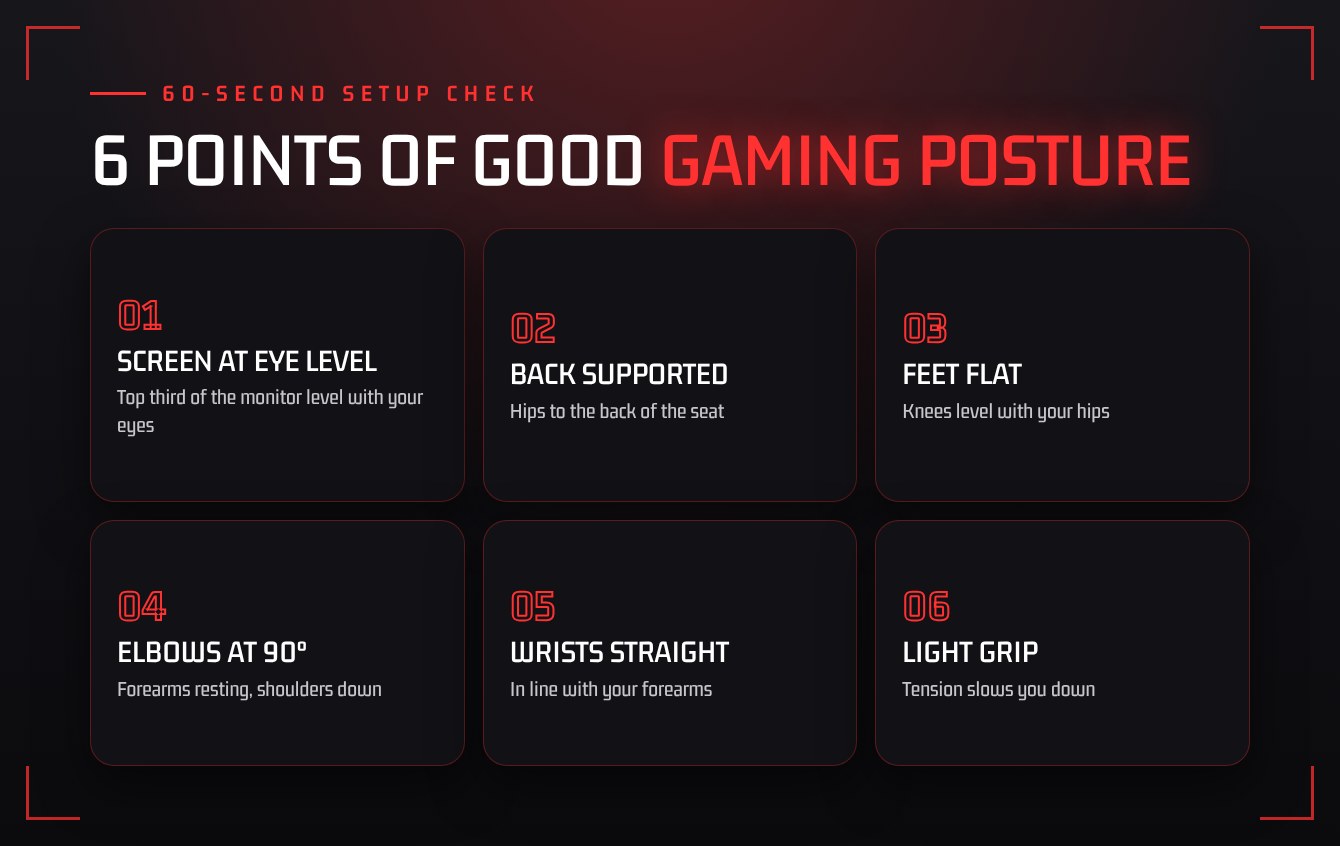
The top third of your monitor should sit roughly level with your eyes, about an arm’s length away. If you look down at a laptop or a low screen, your head tips forward and your neck does the work. A stack of books under the monitor is a perfectly good stand.
Fix 2: Sit back in the chair
Slide your hips to the back of the seat so the backrest supports your lower back. If there is a gap, a small cushion or rolled towel fills it. You do not need an expensive chair, but you do need to use the one you have.
Fix 3: Plant your feet
Both feet flat on the floor, knees roughly level with your hips. If your feet dangle, use a footrest or a sturdy box. Crossing your legs or sitting on one foot twists your lower back over time.
Fix 4: Keep elbows close and wrists straight
Your elbows should rest near your sides at about a right angle, with your forearms supported by the desk or armrests. Keep your wrists in a straight line with your forearms instead of bent upward. On controller, rest your arms on your lap or a cushion instead of holding them in the air.
Fix 5: Relax your grip
Squeezing the mouse or controller harder does not make you faster. A lighter grip reduces tension in the hand and forearm, and many players find their aim gets smoother. If your mouse sensitivity is so low that you grip hard to make big swipes, adjust it with the converter in our Gamer Toolbox.
“The best gaming posture is the next one. Move before your body asks you to.”
Fix 6: Take short breaks between matches
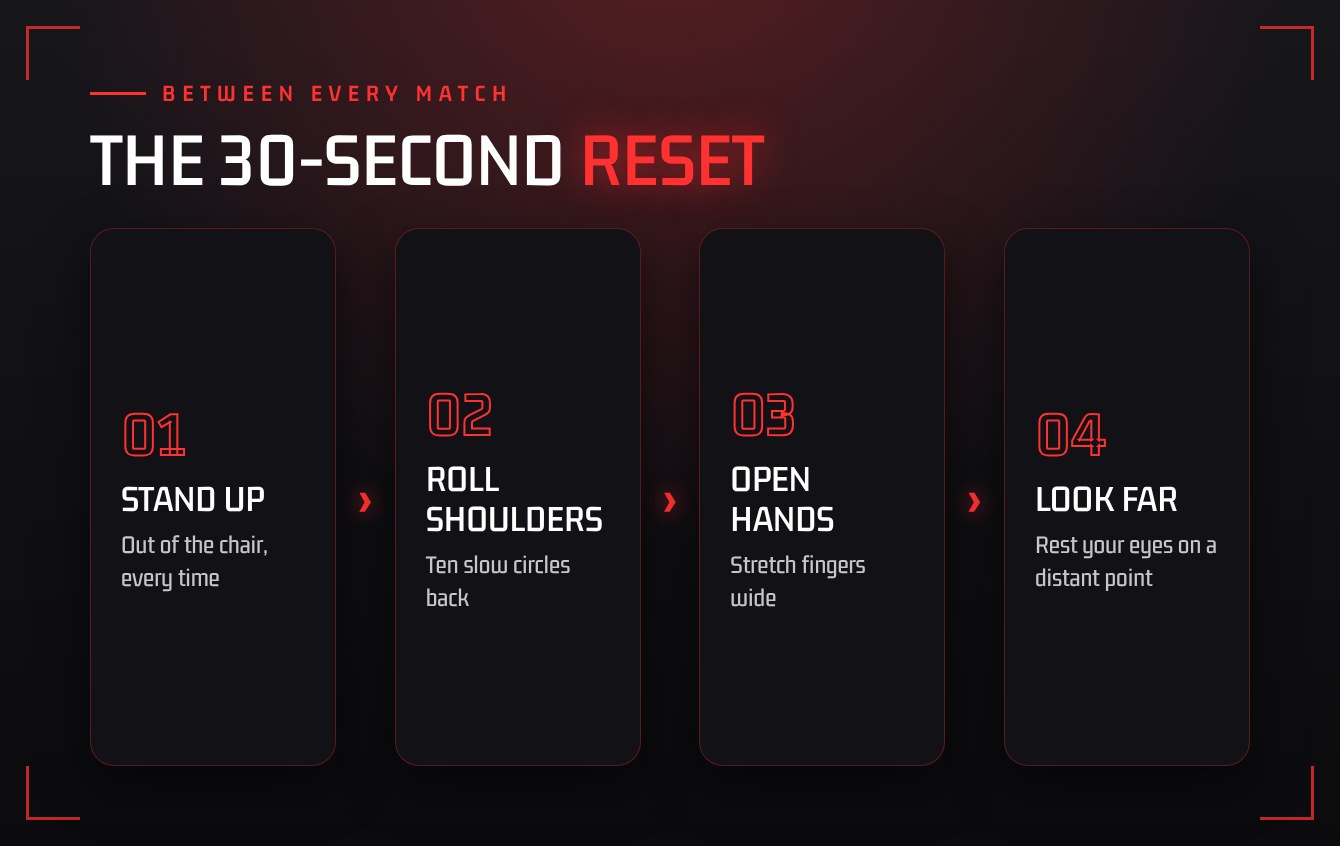
No position is healthy if you hold it for four hours. Stand up between matches, roll your shoulders, open and close your hands, and look at something far away to rest your eyes. Thirty seconds is enough to reset.
Fix 7: Stretch after long sessions
A few minutes of gentle stretching for the neck, chest, wrists and hips helps undo the hours of sitting. Keep it slow and never push into pain.
The takeaway
Better gaming posture comes from small habits repeated often: screen at eye level, back supported, feet planted, wrists straight, and regular movement. Start with one fix today and add another next week.
This guide is general advice, not medical care. If you have pain, numbness or tingling that does not go away, see a doctor or physiotherapist.
Playing with others makes breaks easier to remember. Jump into a session with the Squad Finder and call a stretch break between rounds.