You spend months building muscle memory in one shooter, jump into another with friends, and suddenly you cannot hit anything. Your aim did not get worse overnight. The game is simply measuring your mouse differently. Learning how to keep your aim consistent is easier than most players think, and it takes about five minutes.
Why your aim feels wrong in a new game
A sensitivity value of 2 in one game is not the same as 2 in another. Each game engine decides how far your view turns for every bit of mouse movement, so identical numbers can produce completely different results. One game might spin you a full circle with a small swipe while another needs your whole mousepad for the same turn.
Your hand does not know about any of this. It has learned that a certain physical movement produces a certain turn. When that link changes, every flick and every tracking adjustment lands in the wrong place.
The number that helps you keep your aim consistent
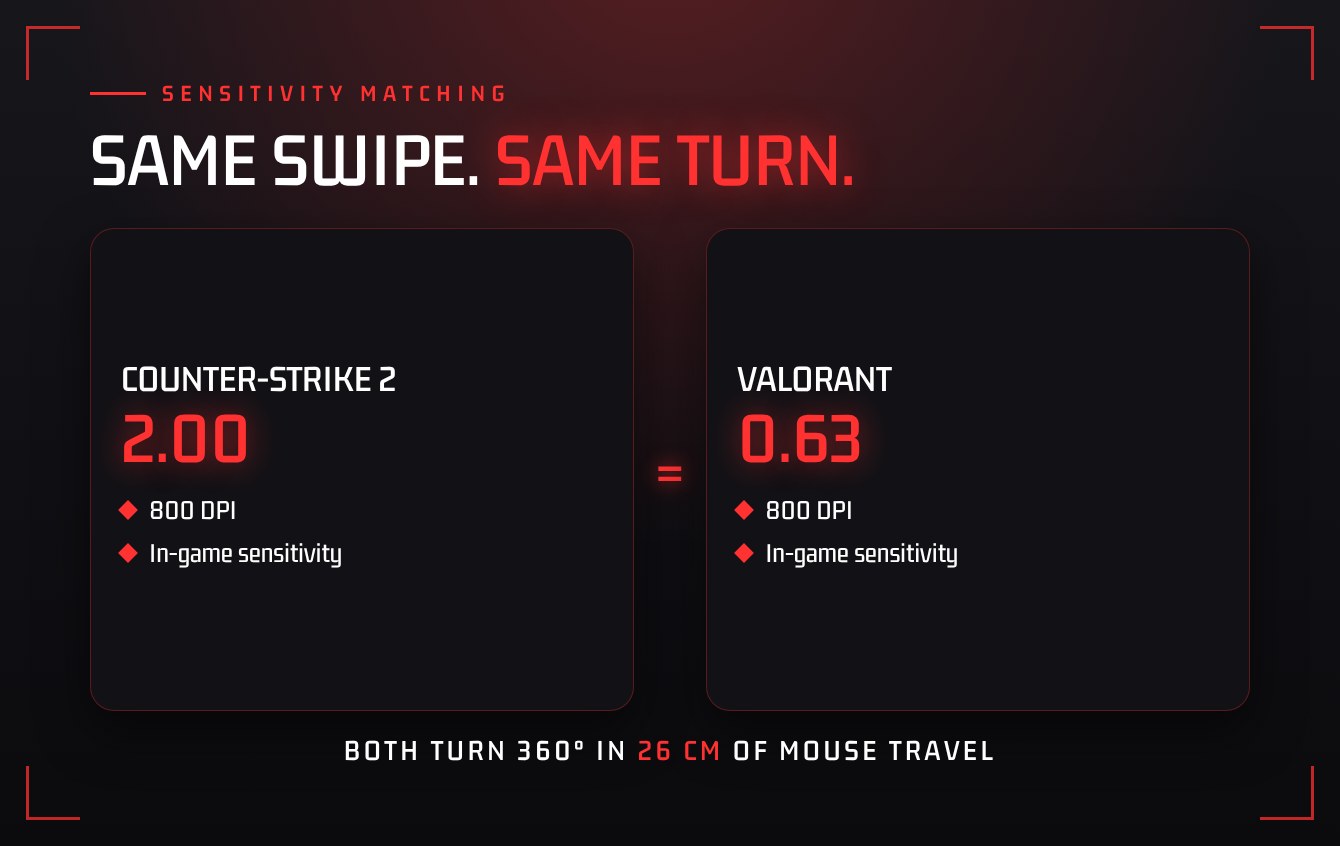
Stop thinking in sensitivity values and start thinking in distance. The measurement that carries between games is centimetres per 360: how far you physically move your mouse to turn one full circle in game.
If a full turn takes 30 cm in your main game, you want it to take 30 cm everywhere else. Once that distance matches, your muscle memory comes with you. That is the whole secret to how you keep your aim consistent.
You will also see players mention eDPI, which is your mouse DPI multiplied by your in-game sensitivity. It is handy for comparing settings with other players of the same game, but it does not transfer between games. Distance per 360 does.
How to match your settings in five minutes
- Write down your mouse DPI and your sensitivity in the game where your aim feels best.
- Open the sensitivity converter in our free Gamer Toolbox, pick your current game and the game you are moving to, and enter those two numbers.
- Copy the new sensitivity into the second game.
- Check it in a practice range: place your mouse at one edge of the pad, swipe the same distance in both games, and confirm you end up facing the same direction.
Settings that quietly break consistency
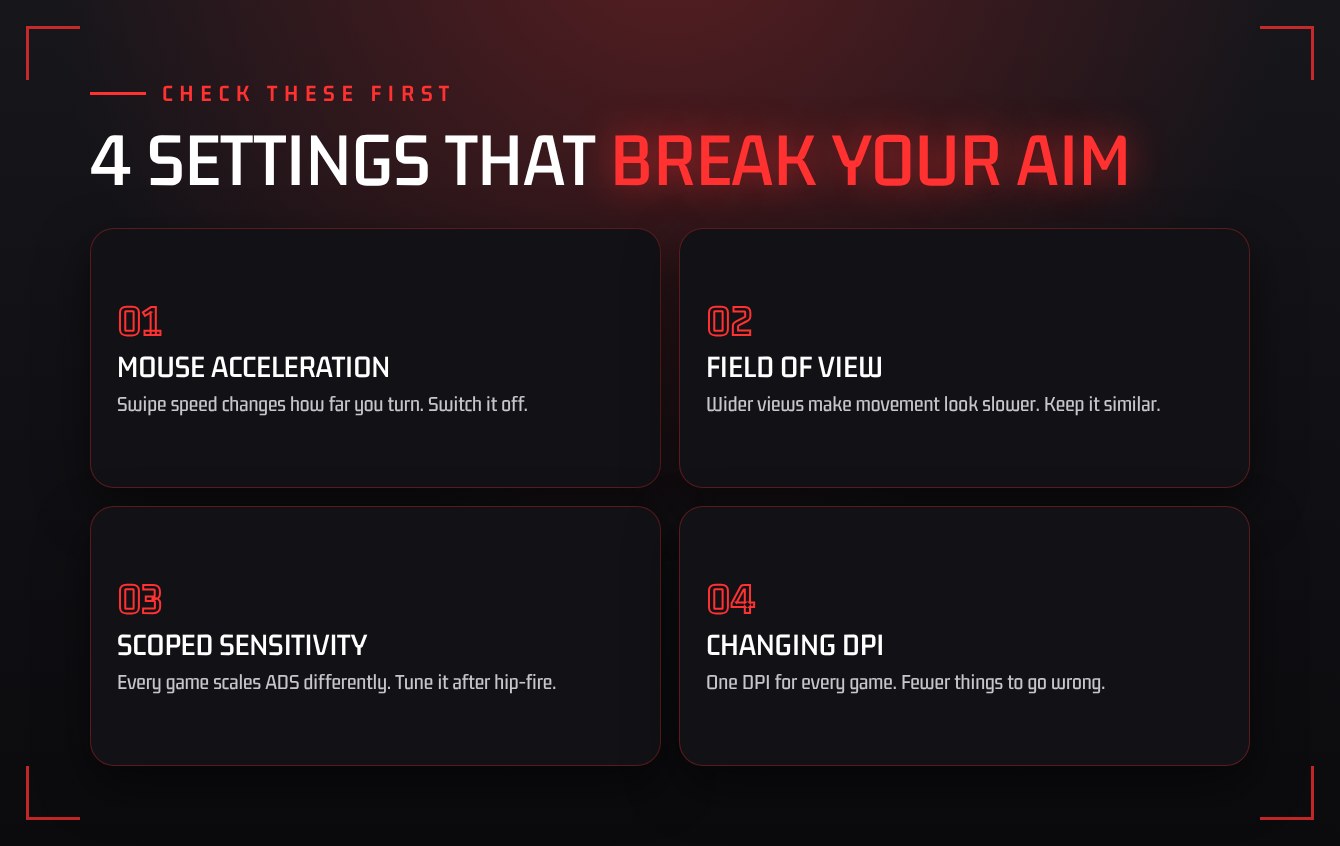
To keep your aim consistent, matching sensitivity is most of the job, but a few other settings can undo it.
- Mouse acceleration. With acceleration on, the speed of your swipe changes how far you turn, so the same movement gives different results. Turn off pointer acceleration in your operating system and in any game that offers it.
- Field of view. A wider field of view makes targets look smaller and movement look slower, even at identical sensitivity. Pick a value you like and keep it similar across games where you can.
- Scoped sensitivity. Aiming down sights is scaled differently in almost every game. Match your hip-fire first, then adjust the scoped multiplier until tracking a target feels the same.
- Different DPI per game. Leave your mouse on one DPI. Changing it for each game adds one more thing to go wrong.
Give it a week before you change anything
New settings always feel strange for the first few sessions. Resist the urge to tweak after one bad match. Play with the matched sensitivity for a week, then make one small adjustment at a time if something still feels off.
Constantly changing settings is the most common reason players never build reliable aim. Consistency comes from repetition on the same setup.
“Consistency comes from repetition on the same setup.”
The takeaway
To keep your aim consistent, find the turn distance that suits you, convert it for every shooter you play, switch off acceleration, and then leave it alone. Your aim will travel with you from game to game.
Looking for people to practise with? Join the Monolith Gaming Discord and jump into a game night.